Make your zombie couple video.
Love never dies.
Turn a couple photo or two portraits into a zombie love story. Preview your zombie couple video, check each face and download the finished MP4 when it is ready.
Invitation-only beta. A creator invitation is required to generate; public checkout is not open.
Make your videoMake it yours
One couple. Two ways to start.
Three supplied reference films show the mood. Your generated result will vary with your photos.
A zombie couple story, in motion.
Watch this zombie couple video: a real 30-second result from an AI-created couple portrait.
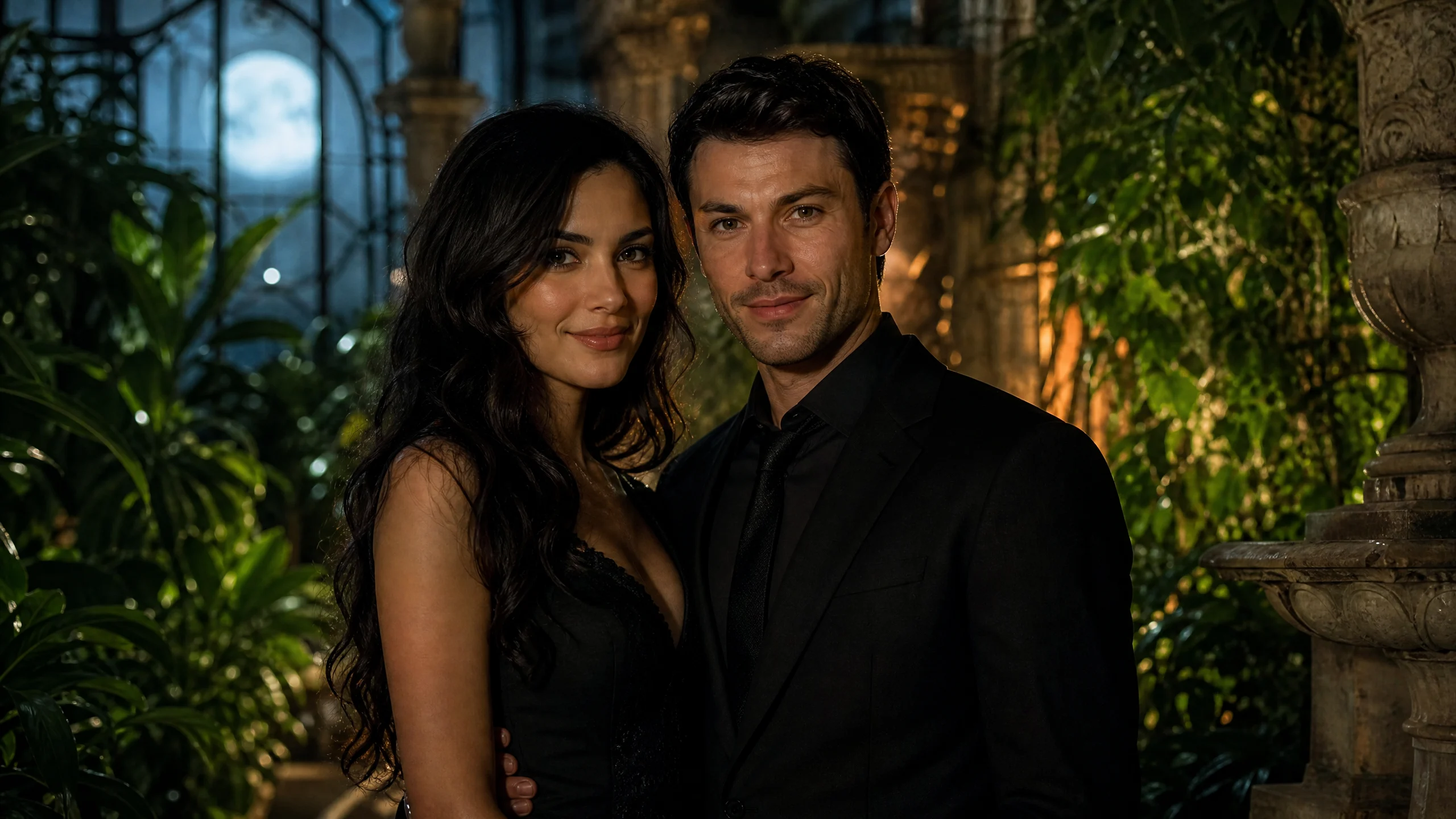
It starts with a photo.
A tearful reunion, a warm memory, and an embrace. Both people are original AI-generated fictional characters.
One couple photo · Seedance 2.5The couple meet in a cold apartment, share a warm meadow memory and embrace. The zombie partner stays infected in the final scene; the memory shows the couple before the outbreak. Pale eyes, muted skin and restrained movement create the zombie look. Faces remain central to the story, rather than being hidden behind a mask. This is a generated example, not a promise that every zombie couple video will follow identical shots. Choose 30 seconds for this love-story direction; shorter clips use a simpler zombie transformation.
How do I make a zombie couple video?
Start with a clear couple portrait, choose the video settings and submit with your creator invitation. Afterlove prepares the cinematic prompt, so you can make a zombie couple video without an editing timeline. The current composer has no custom prompt or style selector.
Choose your photo input
Choose a couple photo or two portraits. Keep both faces clear, with similar lighting and no heavy filters. Each image must be JPG, PNG or WebP and no larger than 10 MB. Confirm that both partners agree to appear in the zombie video.
Select settings and submit
Set the zombie video’s length, resolution and framing. Short clips show a zombie transformation; the 30-second option follows a couple love story. Select generated sound if wanted, enter your invitation code and check the choices before submitting. With two portraits, both uploads must finish first.
Review your video before sharing
Watch your zombie couple video and compare both faces with your original images. Check the zombie makeup, hand contact and movement before sharing. Save the MP4 while the download is available. Kie’s queue determines processing time; if submission is uncertain, ask your invitation issuer before retrying.
Which settings suit your zombie couple video?
Afterlove uses Seedance 2.5 via Kie to turn a couple photo or separate portraits into a zombie couple video. The couple provides the character references; a prepared prompt guides the zombie look and romantic scene.
Start with clear, recognizable faces
Use a well-lit image with unobstructed, front-facing faces. Keep the couple at a similar distance from the camera, so neither face becomes too small. Waist-up framing leaves room for the zombie transformation while keeping both partners recognizable.
For separate portraits, match lighting and camera angle where possible. Different backgrounds are fine: each portrait supplies one partner’s appearance for the couple video. Avoid sunglasses, deep shadows and heavy beauty filters. Open each original at full size to check focus; a sharp thumbnail can hide blurred facial details.
Clear images give the zombie effect a better starting point, but likeness is never guaranteed. AI may change facial details, hands, clothing or contact between the couple. Review the finished video together and use only images you have permission to upload.
Read the complete photo guideQuestions before you generate
Photo guideWhat is a zombie couple video?
A zombie couple video combines two partners’ likenesses with a fictional undead scene. Afterlove uses a couple portrait or two individual images to guide the cast. Cinematic lighting, zombie makeup and affectionate movement create the effect; the prompt requests costume horror without blood or violence.
Can I upload separate photos of each person?
Yes. Select Two portraits and add one image per partner. Kie receives the two characters as separate references for the couple video. Choose Couple photo instead when both partners already appear clearly together.
Will the zombie couple still look like us?
The prompt asks for a recognizable couple with distinct faces, hair and proportions throughout the video. Zombie makeup and movement can still change details. Use sharp images and review both partners: an exact likeness is not guaranteed.
How long does a zombie video take to generate?
Images upload before your zombie couple video joins Kie’s queue. Demand, length and resolution affect the wait. Check the displayed status rather than starting again; no fixed completion time or estimated percentage is promised.
Can I make a zombie couple video for free?
Afterlove’s private beta requires a creator invitation. Public checkout is closed, and the pricing page shows launch previews. Kie bills the operator for completed videos based on length and resolution. There is no unlimited free zombie video offer.
What happens to my photos?
Your chosen images remain in this browser until submission, then pass through Cloudflare to Kie. Uploads expire after 24 hours; generated media is retained for 14 days under Kie’s published policy. Removing reference links affects this site’s saved URLs, not remote files. Read the privacy section below for deletion limits.
Can I share my couple video on TikTok or Reels?
Choose Vertical 9:16 for a phone-oriented zombie video. Landscape 16:9 suits a wider couple scene; Square 1:1 fits a square post. Download your finished MP4 and upload it yourself. Afterlove does not publish to social accounts.
What if my zombie video fails or gets stuck?
Keep the request ID and check its existing status before retrying. If a couple video fails or submission is uncertain, ask the operator who issued your invitation. Explain the problem, but never send API keys or private access tokens. A new submission can create a separate job.
Sources, photo privacy and support
What happens to my photo references?
Your chosen images stay in this browser until generation starts. Cloudflare then forwards the prepared couple references to Kie for the zombie video. Only submit images you may use, with consent from both partners.
According to Kie’s file upload documentation uploaded files are deleted 24 hours after upload. Its data retention policy lists 14 days for generated video files and two months for logs. These are Kie’s documented retention windows; save your couple video promptly.
Remove reference links deletes the reference URLs saved by this site. Remote uploads, downloaded videos and Kie logs remain subject to their separate retention rules. Clearing browser data cannot cancel an accepted generation. The privacy policy explains these limits.
Read the photo privacy policyWhere do these technical details come from?
Kie’s documentation below covers the video model, uploads and retention. The table describes Afterlove’s current zombie couple composer; model capabilities and beta availability can change.
The zombie couple demo illustrates one possible result. For beta support, contact your invitation issuer with the request ID and a description of the video problem. Never share API keys or private access tokens.
ContactMaintained by AfterloveLast updated: