
Zombie couple video generator.
Love never dies.
Create a zombie couple video from one photo of you together or two individual portraits. Turn your references into a theatrical, non-graphic love story, then preview and download the finished MP4.
Invitation-only beta. A creator invitation is required to generate; public checkout is not open.
Make your videoMake it yours
One couple. Two ways to start.
Three supplied reference films show the mood. Your generated result will vary with your photos.
Love. Even after.
Watch a real 30-second zombie couple love story.
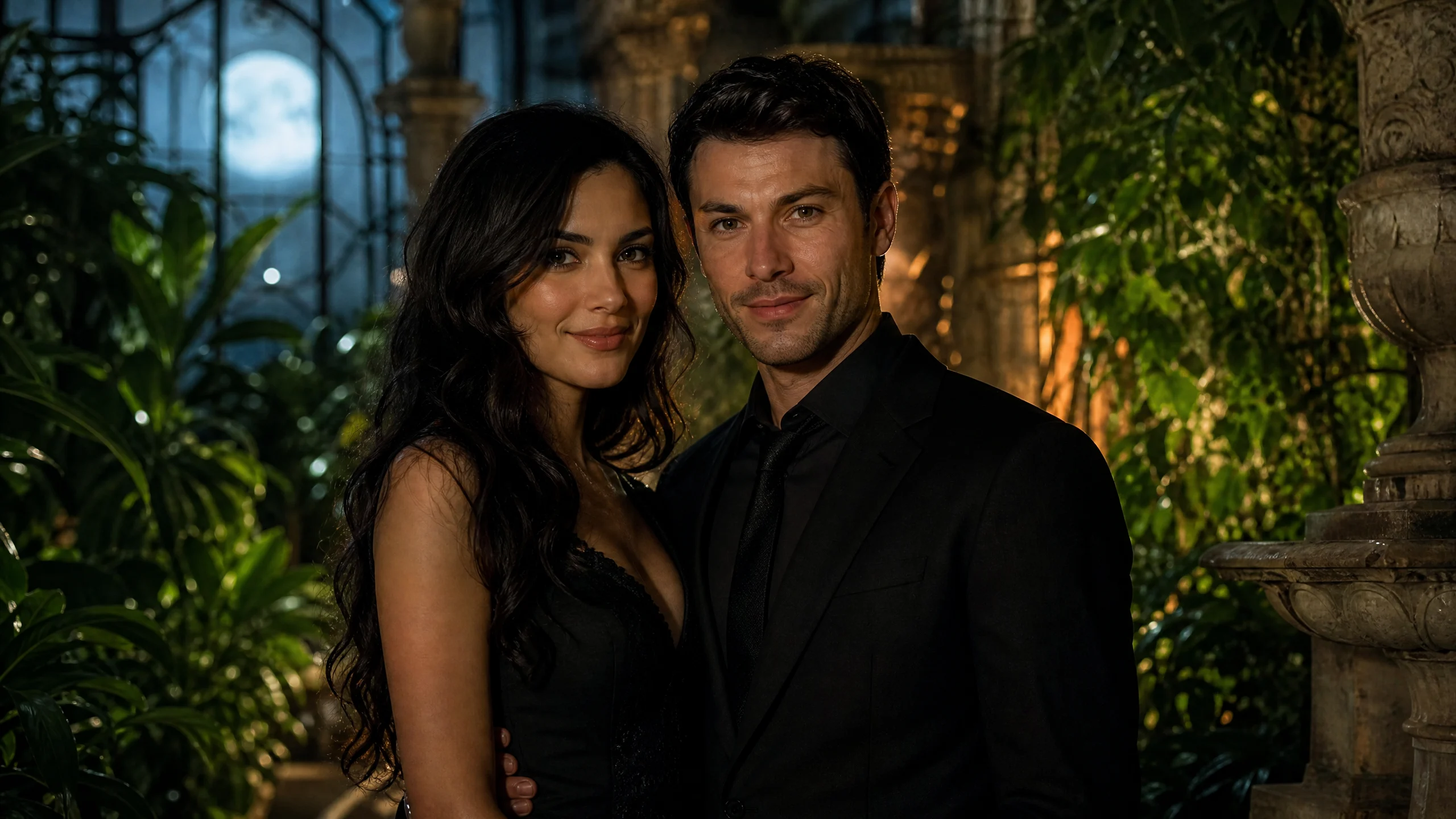
It starts with a photo.
A tearful reunion, a warm memory, and an embrace. Both people are original AI-generated fictional characters.
One couple photo · Seedance 2.5How do I make a zombie couple video?
Prepare your photos, choose the output settings and submit a request when beta generation is available. You do not need an editing timeline: the cinematic direction is prepared for you, with no style selector.
Choose your photo input
Upload one sharp photo showing both people, or place one portrait in each of the two photo slots. Use JPG, PNG or WebP files up to 10 MB each. Both faces should be easy to see; confirm permission from everyone pictured.
Select settings and submit
Choose 5, 10 or 30 seconds, 720p or 1080p, and vertical, landscape or square framing. Decide whether to include generated sound. Enter your creator invitation and review the settings before submitting. In two-portrait mode, both reference uploads must succeed first.
Review and save your result
Follow the reported task state, watch the finished video and check both people’s appearance before sharing. Download the MP4 while the result link is available. Processing time varies with the provider’s queue; if submission is uncertain, ask the beta operator before creating another request.
Which photos and settings should I use?
Afterlove is an AI zombie couple video generator. It uses Seedance 2.5 through Kie to create short, non-graphic zombie transformation videos from a couple photo or two separate portraits.
Start with clear, recognizable faces
Use a well-lit photo with visible, front-facing faces and limited obstruction. In a shared image, keep both people at a similar distance from the camera so neither face becomes too small. A waist-up composition can leave room for movement while retaining facial detail.
For separate portraits, similar lighting and camera angles give the model more consistent references. The backgrounds do not need to match. Avoid sunglasses, heavy beauty filters, deep shadows and crowded group shots. Check each face in the full-size photo before submitting: a sharp thumbnail can still hide blurred details.
Clear references can help, but they do not guarantee an exact likeness. AI may alter facial details, hands, clothing or interactions. Choose photos you have permission to use and review the output with both people before publishing it.
Read the complete photo guideQuestions before you generate
Photo guideWhat is a zombie couple video?
A zombie couple video is a short clip featuring two partners with a theatrical zombie transformation. Afterlove creates one from your photo references using Seedance 2.5. The cinematic direction focuses on spooky makeup, atmosphere and romantic or playful movement rather than graphic horror.
Can I upload separate photos of each person?
Yes. Choose Two portraits and upload one photo per person. Both images are submitted as distinct character references. You can also upload one Couple photo containing both people.
Will both people still look like themselves?
The prompts ask the model to keep both identities distinct and recognizable. Results vary: faces, hands and interactions may change. Clear photos help, but exact likeness is not guaranteed.
How long does generation take?
Photos are uploaded first, then the video enters the provider’s queue. Processing time depends on demand, duration and resolution. The page shows actual task states; it does not promise a fixed time or an estimated percentage.
Is it free to generate a video?
Afterlove is currently in a private beta with creator invitations. Preview prices are available on the pricing page; public checkout is not open. Kie charges the operator for successful video generation according to duration and resolution. We do not advertise unlimited free videos.
What happens to my photos?
Selected photos stay in your browser until you start generation. They are then sent through our Cloudflare server to Kie. Kie documents 24-hour temporary-upload expiry. Remove reference links clears the links stored by this site; it does not immediately delete provider files. Save finished videos within the provider’s 14-day media retention window. See Privacy for details.
Can I make a vertical video for TikTok or Reels?
Yes. Choose Vertical 9:16, Landscape 16:9 or Square 1:1, with 5, 10 or 30 seconds and 720p or 1080p output.
What should I do if a task fails or seems stuck?
Keep the task ID and check the existing task’s status before creating another request. During the beta, contact the operator who supplied your invitation. Provide the task ID and describe the problem; do not send API keys or your private task access token. A fresh submission can create a separate job.
Sources, photo privacy and support
What happens to my photo references?
Selected photos stay in your browser until you start generation. After submission, the prepared references pass through our Cloudflare server to Kie for video generation. Only upload photographs you have the right to use, with permission from everyone pictured.
According to Kie’s file upload documentation uploaded files are deleted 24 hours after upload. Its data retention policy lists 14 days for generated media and two months for task logs. These are provider-stated windows; download finished results promptly.
Remove reference links clears reference URLs stored by this site. It does not immediately delete provider files, downloaded videos or provider logs. Clearing browser data also does not cancel an accepted provider task. Read the privacy policy for the processing and deletion limits.
Read the photo privacy policyWhere do these technical details come from?
The sources below describe the provider’s generation, upload and retention behavior. The options table describes this site’s current composer; provider capabilities and beta availability can change.
Examples show a possible result rather than a guarantee. During the beta, contact the operator who issued your invitation for help. Include your task ID, but never share API keys or your private task access token.
ContactMaintained by AfterloveLast updated: